
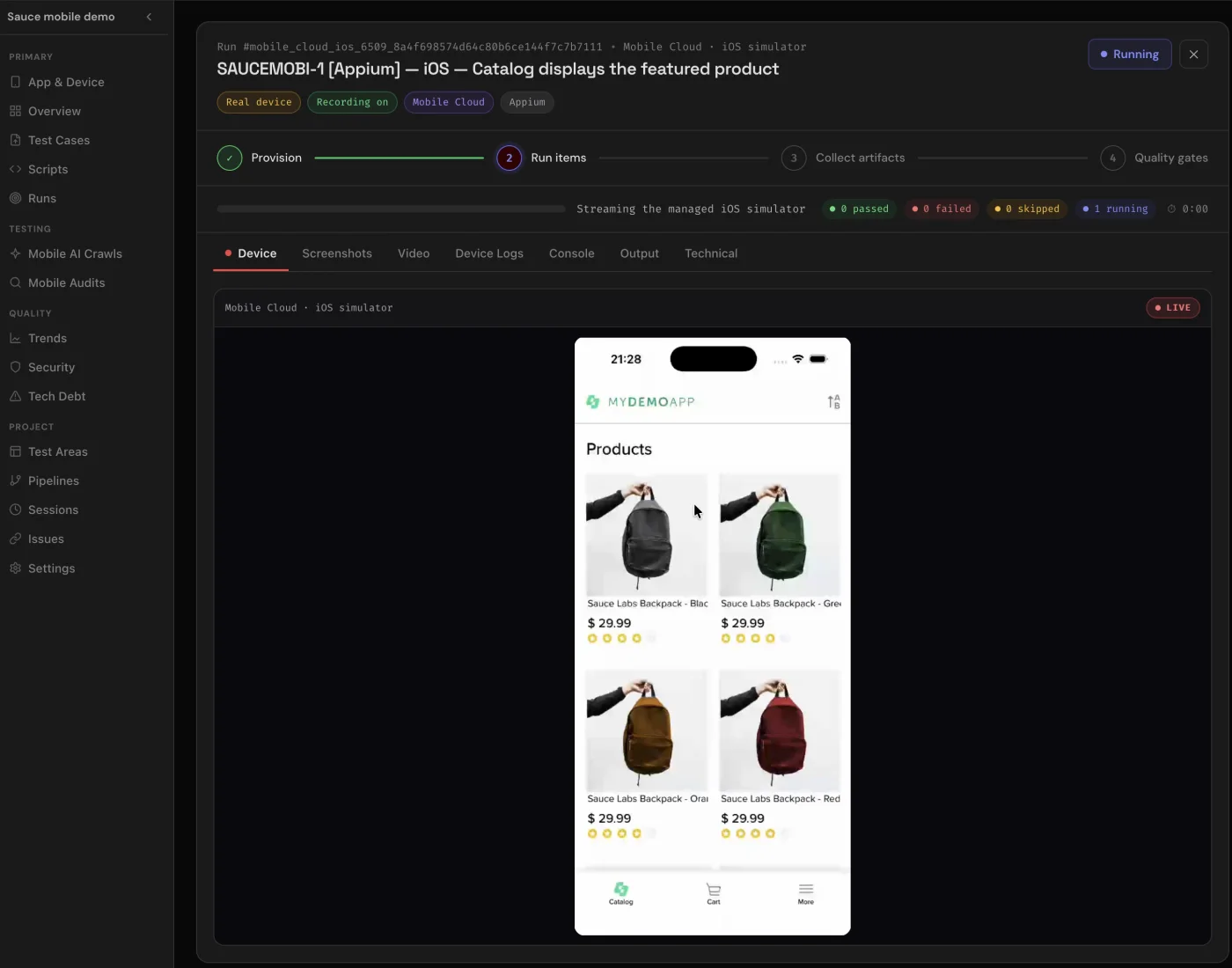
At 21:28 on 9 August 2026, two test runs were open on my screen.
On Android, QualityMax was checking what a customer sees after emptying a shopping cart. On iOS, it was checking whether the featured product appeared in the catalogue. Two modest scenarios. The sort of behavior that gets one line in a release checklist—and one angry review when it breaks.
But this time there was no browser viewport pretending to be a phone. One run was talking to Android through UiAutomator2. The other was talking to iOS through XCUITest. Both were managed Appium sessions. Both produced a TypeScript script we could read. Both came back with screenshots, video, device output, logs, and quality gates.
That was the moment the product felt different.
Native mobile testing is now live in QualityMax.
What shipped
Generate native mobile tests as reviewable TypeScript/Node.js, execute them in managed Android and iOS sessions, and inspect the run evidence in the same QualityMax workflow you use for the rest of your quality program.
A mobile viewport is not a mobile app
Responsive browser testing still matters. It catches layouts that collapse, buttons that become untappable, and checkout forms that escape the screen. We do plenty of it.
But it cannot tell you whether a native back gesture returns to the right screen. It cannot prove the app survives a lifecycle transition, that the native keyboard behaves, or that an Android element and its iOS counterpart expose the same meaning through two different automation engines. It cannot install your build and interact with the application package your users actually receive.
For too long, “mobile testing” has been used to describe both things. They are not the same problem.
So we built the native path as a first-class execution system, not another desktop test squeezed into a narrow rectangle.
Two native stacks. One reviewable workflow.
Native Android automation through the platform-specific UiAutomator2 driver.
Native iOS automation through Apple’s XCUITest-backed driver.
The generated scripts are TypeScript/Node.js. That choice is deliberate: the output is code your team can inspect, version, extend, and reason about. The platform difference remains where it belongs—in the native driver and selectors—while the authoring and review experience stays familiar.
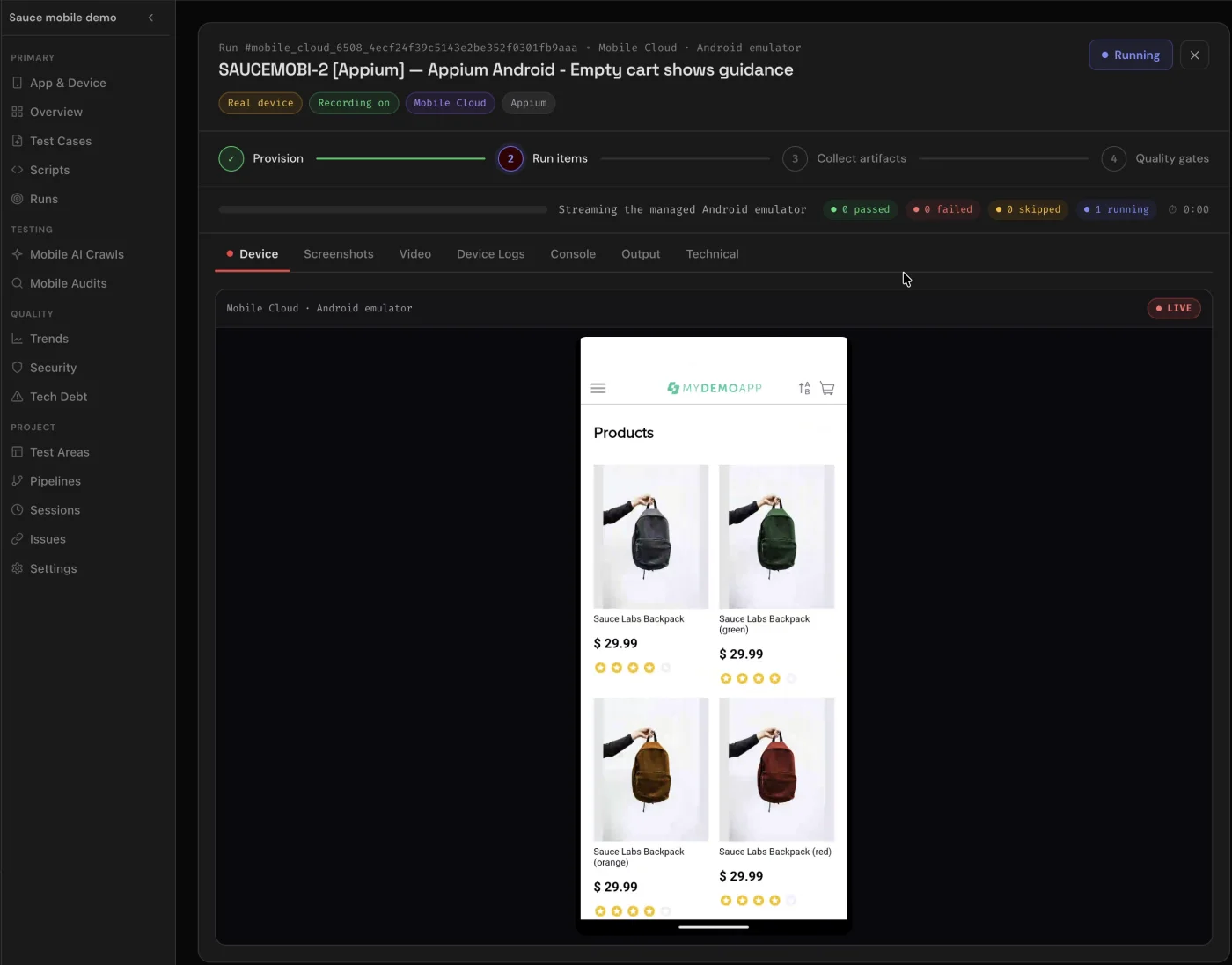
The run is more than a green badge
A pass without evidence is a claim. A useful native run should answer the next question before someone has to ask it.
PROVISION
The managed environment prepares the platform session and application under test.
EXECUTE
The generated Appium and WebdriverIO script drives the native interface through UiAutomator2 or XCUITest.
REVIEW
Video, screenshots, device details, logs, console output, technical output, and quality gates remain attached to the run.
That evidence is especially important on mobile because the failure surface is wider. A selector can be wrong. A build can fail to install. A permission prompt can appear at the wrong time. A platform can render the same product state differently. The execution record makes those differences inspectable instead of compressing them into “mobile test failed.”
Available now in Studio—and in the seven-day trial
Native sessions consume dedicated infrastructure, so Android and iOS time is metered separately. One platform cannot silently drain the other platform’s allowance, and the limit is enforced by the server while the session is running.
Separate monthly platform allowances included for Studio users.
Enough native execution time to prove a real flow on both platforms before choosing a plan.
The cutoff is hard, not decorative. New sessions are rejected when the applicable platform budget is exhausted, concurrent starts cannot spend the same minutes twice, and an active managed session is stopped at its limit. The Mobile Testing tab and the APIs use the same entitlement decision, so hiding a button is never the security boundary.
What I want teams to test first
Do not start by converting 400 browser cases. Pick the journey that makes your release manager slightly nervous:
- the first-run flow that depends on a native permission prompt;
- the cart, payment, or subscription state your app cannot afford to lose;
- the back-navigation path that behaves differently on Android and iOS;
- the one production incident everyone remembers but nobody has automated.
Generate that test. Read the TypeScript. Run it once on Android and once on iOS. Then look beyond the verdict: watch the video, inspect the screenshots, and decide whether the evidence tells the same story you intended.
The browser is still part of the product. It was just never the whole product.
Put your riskiest mobile flow on trial
Start a seven-day QualityMax trial with 10 managed Android minutes and 5 managed iOS minutes included.
Test a native flow →